Create a new project (e.g., ReactJS)
caution
Before creating a new project, make sure you have Node.js installed.
If you haven’t installed it yet, please refer to the installation guide.
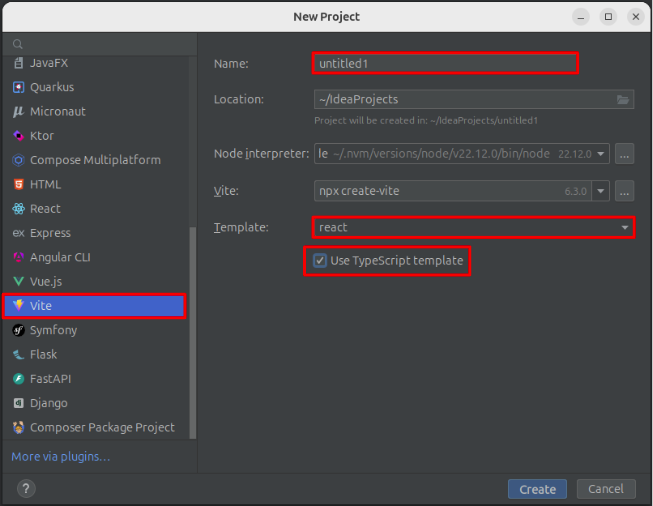
To create a new project in IntelliJ IDEA:
- In the New Project modal, select Vite from the list on the left.
- Enter a Name for your project.
- Choose a template, select React, and make sure to check the TypeScript option.
- Click Create to initialize your project.
Once the project is created, open a terminal within IntelliJ IDEA and run the following commands:
npm install
npm run dev
This starts the development server.
Finally, open your browser and navigate to http://localhost:5173 (or localhost:3000 if configured differently) to see your new React application running.