Create a Group
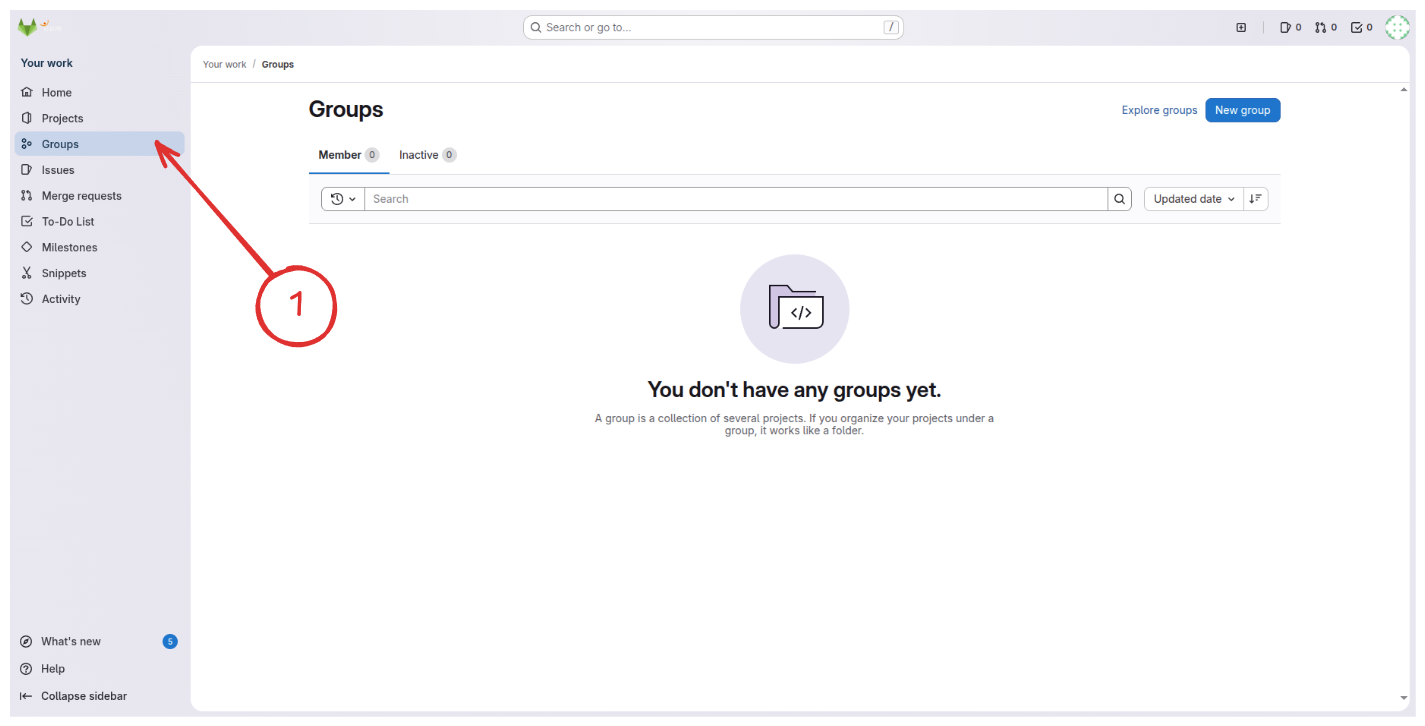
- In the left sidebar, click "Groups".
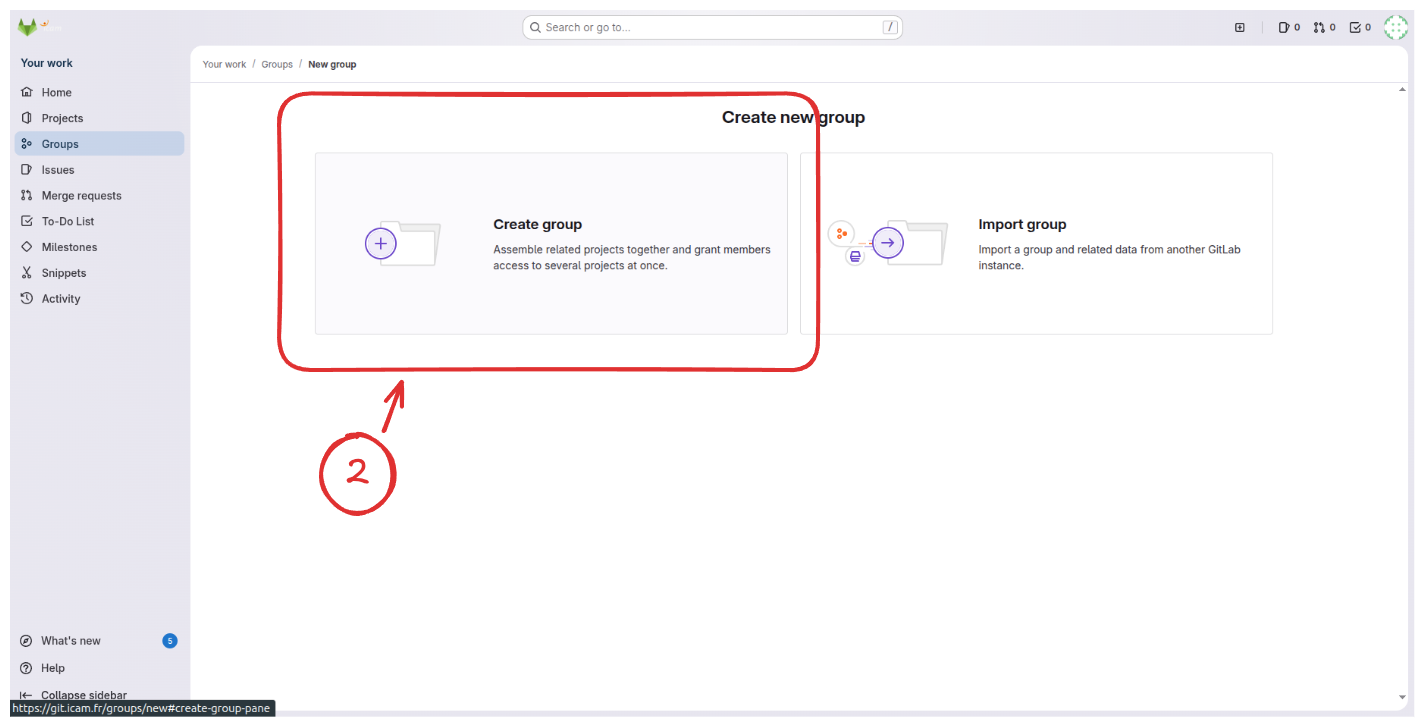
- If this is your first time accessing the section, two large buttons will appear. Click "Create Group".
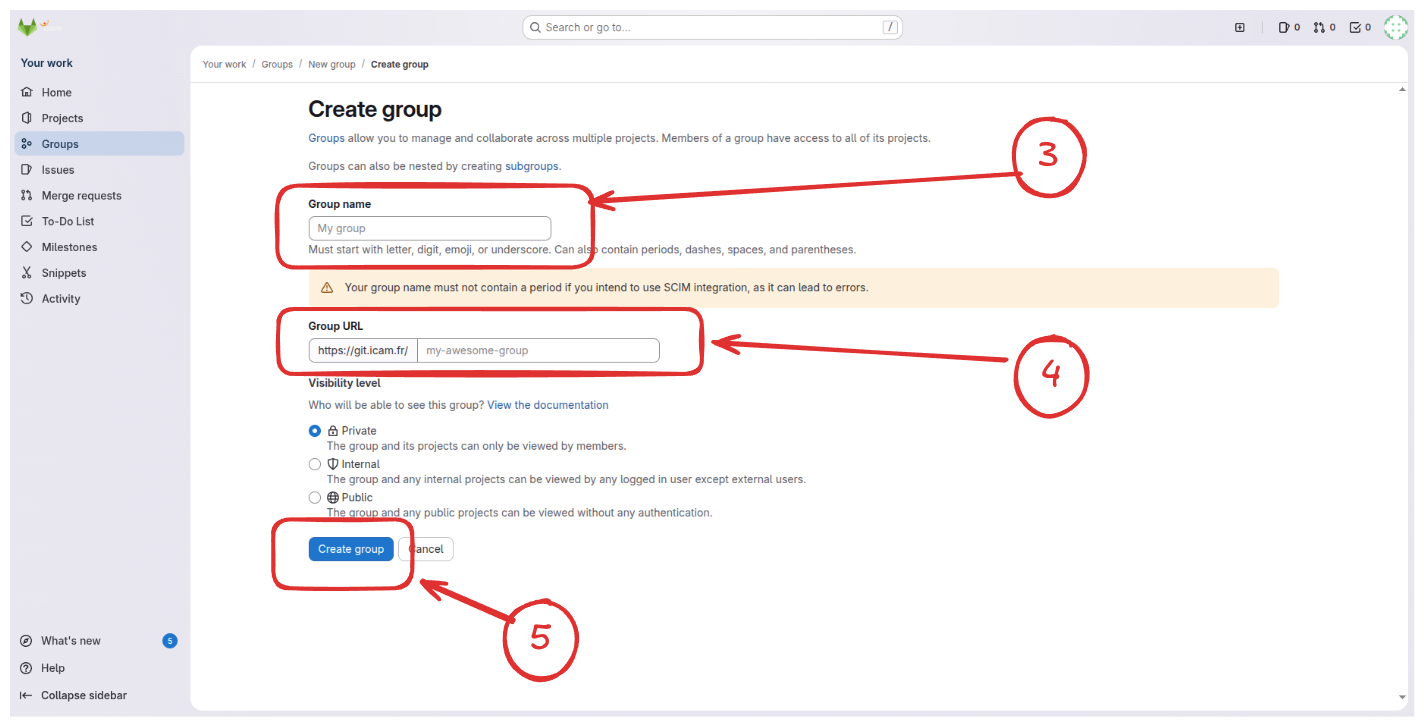
- In the creation form, provide all required information (name, slug, etc.) and click "Create Group".
Your group is now created. You can now manage users and create projects within it.