Create a new project (e.g., ReactJS)
caution
Before creating a new project, make sure you have Node.js installed.
If you haven’t installed it yet, please refer to the installation guide.
-
Open a terminal.
-
Navigate to the folder where you want to store the project, for example:
-
Run the following command:
- Project name:
my-app-name - Example using React + TypeScript:
npm create vite@latest my-app-name -- --template react-ts
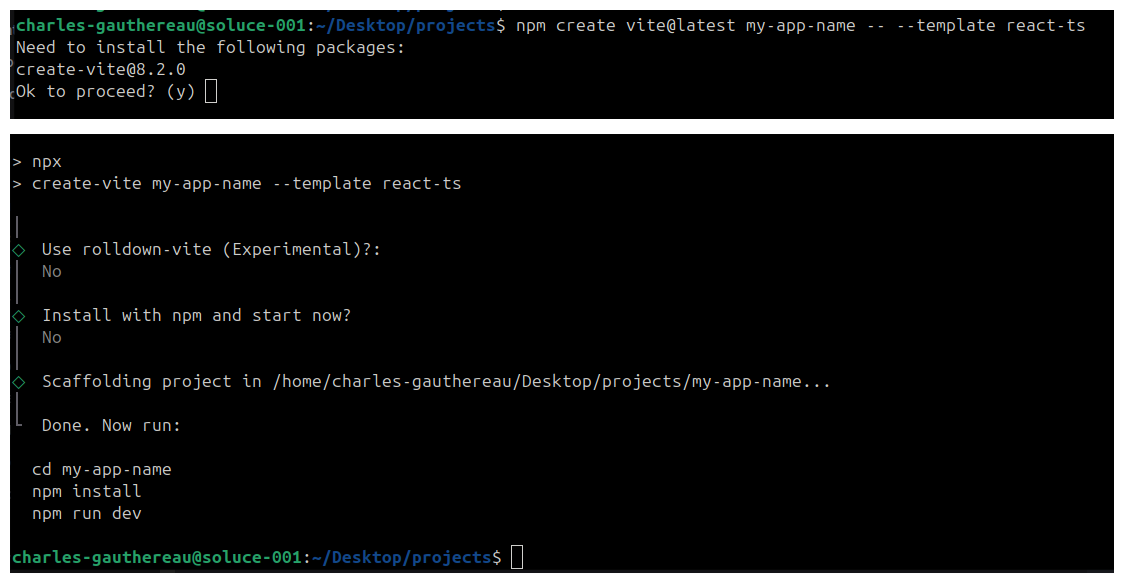
- Once the project is generated, move into the application directory by running the following command:
cd my-app-name
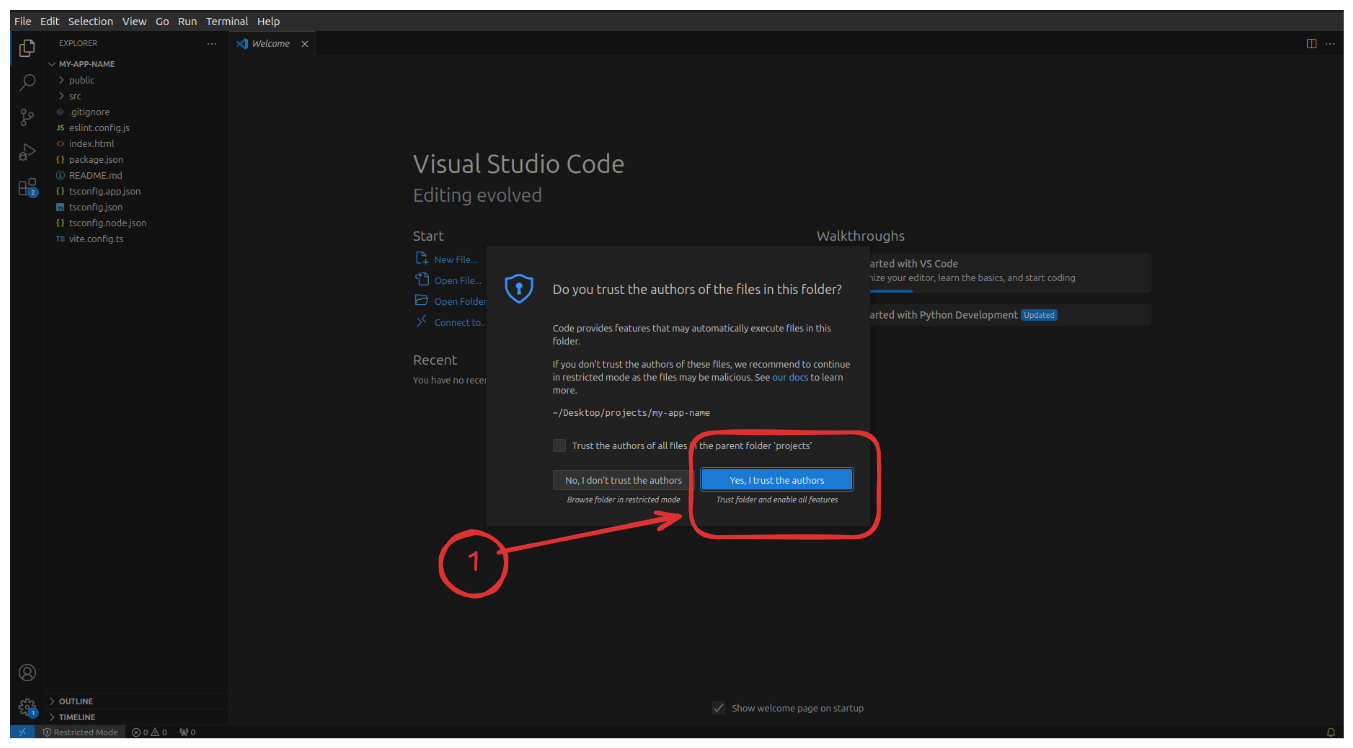
- Open project into VS Code
code .
VS Code may ask you to trust the author. Click Yes.
Open a terminal in VS Code and execute the following command to start the project.
npm install
npm run dev
This starts the development server.
Finally, open your browser and navigate to http://localhost:5173 (or localhost:3000 if configured differently) to see your new React application running.